Samsung Galaxy SmartTag
DTFHMLibraries & Demo
3.443.00 Reviews
- Version
- 22.0
- Installs
- 50.00K
- Age Rating
- Everyone
Screenshots
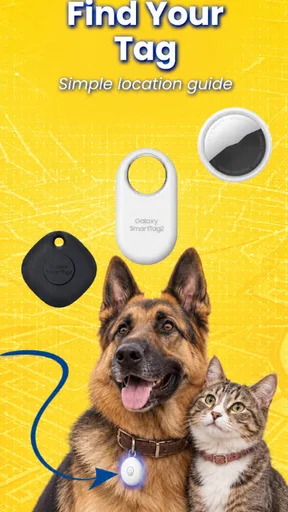
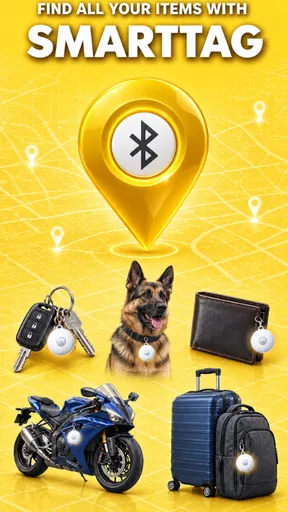
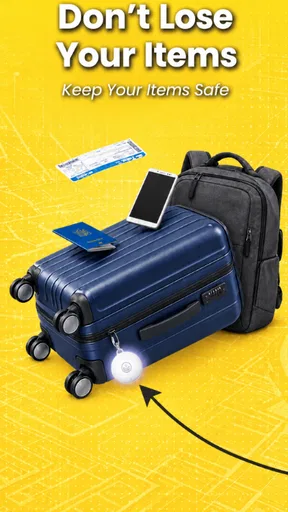
Our Review of Samsung Galaxy SmartTag
 Analysis by Appyee
I spent time with Samsung Galaxy SmartTag as a practical companion for locating a compatible Smart Tag 2 device, and my first impression was that it is more focused than many tracking apps. It is not trying to become a general-purpose library or a crowded device-management dashboard. Its job is simple: help you connect with a Smart Tag 2 and find it when you need to. That narrow purpose can be a real advantage, especially when you are already stressed because keys, a bag, or another tagged item has disappeared.
The app is developed by DTFHM and is available free of charge. It sits in the Libraries & Demo section, although that label does not fully explain how useful it can feel in an everyday situation. The store summary presents it as a way to connect and find Smart Tag 2 devices, while the short description identifies it with Samsung Galaxy SmartTag. After using it, I would describe it less as a broad Samsung utility and more as a straightforward control point for a small tracking setup.
Its audience is fairly specific. You need a Smart Tag 2 device to get meaningful value from it, so downloading the app alone will not turn a phone into a tracker. For someone who already owns the tag, however, the app can be a convenient place to begin. I also found that its simplicity makes the experience easier to understand than apps that combine tracking with shopping, automation, social sharing, or a long list of unrelated tools.
How Samsung Galaxy SmartTag works for different users and situations
When I compare how different people might use Samsung Galaxy SmartTag, I focus on the whole routine rather than the app alone: the phone, Smart Tag 2, and the person searching all need to work together. A commuter may value a quick check before leaving, while someone at home may need a calm, practiced way to retrace a search. That distinction leads naturally to the situations where this focused setup is most useful—and where another approach may fit better.
Readable navigation when you are already under pressure
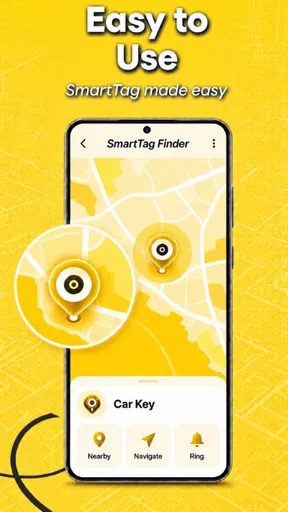
The most important quality in a tracking app is not visual decoration; it is whether I can understand what to do quickly. When an item is missing, I do not want to study a complicated interface or interpret several similar controls. Samsung Galaxy SmartTag benefits from having a clear central purpose. The expected journey is easy to grasp: connect the Smart Tag 2, select the relevant device, and use the available finding functions to guide the search.
That focused structure can help people who prefer low cognitive load. Users who find dense screens tiring may appreciate not having to move through unrelated sections before reaching their tagged item. It is also useful for someone who is setting up the app for an older family member, because the concept is easier to explain than a full smart-home platform. I would still recommend doing the first connection together, rather than assuming every user will immediately understand the relationship between the phone, the app, and the physical tag.
Readability depends on more than the number of buttons. A person with reduced vision may need to enlarge system text, increase contrast, or use a screen reader, and the practical experience can vary with the phone model and operating-system settings. I would not treat the app as automatically accessible simply because its purpose is straightforward. The useful point is that a smaller task set gives the user fewer things to interpret, which can make ordinary accessibility settings more effective.
There is also a helpful distinction between learning the app and remembering the workflow. Once the Smart Tag 2 is connected, the repeated task is familiar: open the app, identify the tag, and start looking. That consistency matters for people who have difficulty remembering multi-step procedures. A good habit is to give each tag a clear, recognizable identity during setup, such as the item it is attached to, rather than relying on vague names that become confusing when several belongings are involved.
Motor and sensory considerations during a search
Finding something is often a physical activity, not just a screen activity. I may be carrying groceries, using one hand, moving through a cluttered room, or trying to keep a child nearby while searching. In that context, a tracker app should reduce the need for precise tapping. Samsung Galaxy SmartTag is most helpful when I can perform the essential action with a simple, deliberate touch instead of navigating through many small controls.
That said, the app cannot remove every motor challenge. A user with tremors, limited reach, or difficulty making accurate selections may still find repeated tapping frustrating, particularly if the phone is being held at an awkward angle. Voice control or an assistive switch on the phone may make the interaction more manageable, but those tools belong to the device and operating system rather than being something I would promise as a special feature of this app.
Sensory needs also change the way a search feels. A person who is sensitive to sound may prefer to keep the phone quiet and rely on visual guidance, while someone with limited vision may benefit more from audible feedback from the tagged object. The usefulness of the system therefore depends on the whole setup: the phone, the tag, the environment, and the user’s preferred way of receiving information. I would test the setup at home before depending on it outdoors or in a noisy public place.
One practical tip is to decide in advance how you will use the tag in a quiet room. Attach it to an everyday object, open the app, and learn the sequence without the pressure of an actual loss. This rehearsal is especially valuable for someone who gets overwhelmed during urgent searches. It also reveals whether the phone’s text size, audio level, vibration behavior, and screen settings are comfortable for that particular user.
Situational access beyond the ideal home environment
The app makes the most sense in ordinary moments when an item has been misplaced nearby. Imagine arriving home with keys, a bag, and shopping, then discovering that the keys are not on the usual table. Instead of emptying every pocket and retracing the entire journey immediately, I can use the tagged item’s connection with the app as a starting point. That does not guarantee an instant recovery, but it gives the search a more organized direction.
It can also help in shared households, but only if everyone understands the arrangement. A tag attached to a common set of keys is useful only when the people who may need it know which tag belongs to those keys and how to open the app. I would avoid creating a setup that depends on one technically confident person being available every time. A short demonstration for other household members is more inclusive than keeping the process as a private trick.
People who travel, commute, or work across several locations should think about the environment before relying on the system. A tracker is not the same as a guarantee that an item can be recovered. Walls, distance, crowds, noise, and the condition of the tagged object can all affect how easy the search feels. The app is best viewed as one layer in a broader routine: attach the tag securely, keep the phone usable, and check the obvious places before assuming the technology will solve everything.
This is also where the app compares differently with common alternatives. A general device-finding service may be better if your main concern is locating a lost phone, tablet, or another account-linked device. A Bluetooth tracker ecosystem from another manufacturer may be more suitable if your household already uses that brand’s tags. Samsung Galaxy SmartTag is the more natural choice when your physical tracking device is a Smart Tag 2 and you want an app centered on that relationship rather than a mixed collection of unrelated devices.
Useful workflows that are easy to overlook
The first non-obvious lesson is that naming and organization matter as much as the finding action. If you have several Smart Tag 2 devices, a vague label can create a new problem: you may locate the wrong entry quickly. I would name each tag after the object and, where helpful, its usual owner or location. This small preparation step reduces mental effort later and is particularly helpful for users who struggle with memory, reading, or distinguishing similar items.
The second is to treat the app as part of a prevention routine, not just an emergency tool. Before leaving a hotel room, meeting space, or café, you can build a habit of checking that important tagged belongings are with you. The app cannot replace a physical check, but pairing both actions creates a clearer departure routine. For someone who is easily distracted by noise or time pressure, a repeatable checklist can be more reliable than trying to remember everything spontaneously.
The third is to design the tag placement around the user’s abilities. A tag hidden inside a tightly packed bag may be protected, but it may also be difficult to reach, hear, or inspect. A secure but accessible attachment point can make the physical search easier and reduce the need for fine finger movements. I would also avoid placing it where it can be covered by thick material if the user depends on audible or nearby feedback.
A fourth useful trade-off concerns shared access. Keeping one person responsible for every tag may seem tidy, but it creates a single point of failure. Teaching another household member the basic workflow takes a little time and makes the setup more resilient. This matters for older users, people with temporary injuries, and anyone who may not have their usual helper nearby when an item goes missing.
Where the experience still has barriers
The biggest limitation is that this is not a universal locating solution. Its value is tied to a Smart Tag 2 device, so a person without that hardware will find the app’s purpose limited. It also may not be the right choice for a mixed-device household that already depends on another tracking network. In that situation, adding another app can increase confusion rather than reduce it.
The category label can create a little uncertainty as well. Because the app appears under Libraries & Demo, someone browsing by category may not immediately understand that it is intended for a physical tracking accessory. The short description helps, but I would still advise checking compatibility with the particular tag before building a routine around it. A focused app is only helpful when the phone and accessory belong to the same practical setup.
There is also a human barrier: people may expect the app to provide certainty. A map, connection state, or finding action can guide a search, but it does not remove the need to interpret the surroundings. If the item is in a crowded place, behind furniture, inside another bag, or handled by someone else, the user may still need patience and common-sense checking. This is especially important for users who find ambiguous feedback stressful.
For accessibility, I would approach the app with a test-first mindset. Try the text size, screen reader, sound level, and touch controls using the actual phone that the person will carry. Do not assume that settings comfortable in a quiet home will remain comfortable outside. If the user cannot complete the basic connection and finding sequence without assistance, the app may still be useful as part of a supported setup, but it is not yet an independent solution for that person.
Performance expectations should also remain realistic. The current version is 22.0, and the app requires Android 7.0 or later. That makes the operating-system requirement relatively broad for people using older Android phones, but compatibility alone does not guarantee a comfortable experience on every handset. Screen size, system accessibility tools, battery condition, and the phone’s general responsiveness can all influence how easy the app is to use.
Who should use it, and who should choose something else?
I would recommend Samsung Galaxy SmartTag to someone who already owns a Smart Tag 2 and wants a dedicated way to connect with and find it. It is also a reasonable option for households that value a simple, repeatable search process over a large collection of extra functions. Its free price removes one common barrier to trying the software, although the complete tracking setup still depends on having the compatible physical tag.
I would be more cautious recommending it to someone who wants to track phones, pets, vehicles, or a wide range of devices from one universal dashboard. The app’s narrow focus is its strength, but it is also the reason it may feel incomplete for a broader tracking strategy. If your existing devices belong to another ecosystem, staying with that ecosystem may produce a smoother routine than adding this app solely because it is available.
For a user with accessibility needs, the answer is personal rather than automatic. The uncluttered purpose can make it easier to learn, and the repeated workflow can support memory and confidence. However, the real test is whether the individual can read, hear, and operate the app comfortably on their own phone, in the places where they are likely to search. A supported setup with a family member may be excellent; an unsupported setup that fails during a stressful moment is not.
My inclusive verdict
After using it, I see Samsung Galaxy SmartTag as a focused utility rather than a feature-packed platform. Its strongest quality is that it keeps attention on one practical problem: connecting with a Smart Tag 2 and helping the user look for the item attached to it. That clarity can support people who prefer simple navigation, predictable routines, and fewer distractions.
The app has reached over fifty thousand installs and holds a 3.4 average from a little over three hundred ratings, with forty-three written reviews. Those figures suggest a real but not overwhelming user base, so I would judge it primarily by whether it fits your hardware and personal workflow rather than by popularity alone. It is free, rated for Everyone, and was released on May 5, 2023, which makes it approachable for a broad audience.
My recommendation is positive with clear conditions. If your Smart Tag 2 is already part of your daily life, this app is worth trying because its focused design can make searching less chaotic. Set up meaningful names, practice the process before losing anything, and adjust the phone for the person who will actually use it. If you need a universal tracker, depend on a different tag ecosystem, or cannot operate the search comfortably even after adapting the phone, another option may serve you better.
The most inclusive way to use it is to test the complete routine with the real person, real phone, and real tagged object. That approach reveals the practical barriers that a store description cannot show, while preserving what the app does best: giving Smart Tag 2 owners a direct, understandable place to begin when an important item goes missing.
Verdict
Strengths of Samsung Galaxy SmartTag
- Accurate location updates when nearby Galaxy devices detect the tag.
- Compact design fits easily on keys, bags, pet collars, or luggage.
- Replaceable battery avoids frequent charging or cable clutter.
- One-touch button can trigger smart-home actions on compatible devices.
- Works well with Samsung’s SmartThings ecosystem and Galaxy phones.
Limitations of Samsung Galaxy SmartTag
- Full tracking features require a compatible Samsung Galaxy smartphone.
- Nearby-device location updates depend on other Galaxy users being present.
- Not suitable for real-time GPS tracking over long distances.
- Some advanced features may vary by country, device, or software version.
- The tag can be less useful in areas with limited Galaxy device coverage.
Other Releases by DTFHM
View All
Endoscope Camera
Libraries & Demo3.4

Ps Controller for PS4 PS5
Libraries & Demo4.5
Similar Picks in This Category
View All
PGT: GFX, Launcher & Optimizer
Trilokia Inc.4.5

AusweisApp Bund
Governikus Service GmbH3.7

Cardboard
Google LLC3.2

Gamers GLTool with Game Tuner
Trilokia Inc.4.5

Multi Web Chat - Read Secretly
World Scan & Cleaner3.8

App Cloner Premium & Add-ons
App Listo1.9
Frequently Asked Questions
What is Samsung Galaxy SmartTag and what does it do?
Samsung Galaxy SmartTag is a small Bluetooth tracking device designed to help you locate personal belongings such as keys, bags, luggage, or a pet’s collar. After attaching it to an item and pairing it with the SmartThings Find service, you can view its last known location, make the tag play a sound, or use nearby Galaxy devices to help update its position when it is out of Bluetooth range.
Which phones are compatible with Samsung Galaxy SmartTag?
Galaxy SmartTag is primarily intended for Samsung Galaxy smartphones and tablets running a compatible version of Android with the SmartThings application installed. Some features may require a Samsung account, Bluetooth, location services, and internet access. Compatibility and available functions can vary by SmartTag model, phone software, and region, so checking the requirements in the Google Play Store or Samsung’s official support pages is recommended before downloading.
Does Samsung Galaxy SmartTag work without an internet connection?
The tag can communicate directly with your phone through Bluetooth when you are nearby, and this basic connection does not require the tag itself to have Wi-Fi or mobile data. However, remote location updates, map synchronization, and community-based finding generally depend on internet access through your phone or other participating Galaxy devices. Without a network connection, you may only see its last recorded location or use nearby Bluetooth functions.
How accurate is the location tracking on Samsung Galaxy SmartTag?
Location accuracy depends on whether the tag is within Bluetooth range, the surrounding environment, and the SmartTag model being used. Nearby tracking can be more helpful because the app may guide you toward the signal and allow the tag to ring. When the item is far away, its position is usually estimated through nearby participating Samsung Galaxy devices, so updates may be delayed and the displayed location may not be exact.
How long does the Samsung Galaxy SmartTag battery last, and can it be replaced?
Battery life varies according to the model, settings, usage, and environmental conditions, but the standard Galaxy SmartTag uses a replaceable coin-cell battery rather than requiring regular charging. When the battery becomes low, the SmartThings Find application can provide an alert. Replacing it is generally straightforward, although users should install the correct battery type and follow Samsung’s instructions to avoid damaging the device or reducing its water resistance.
